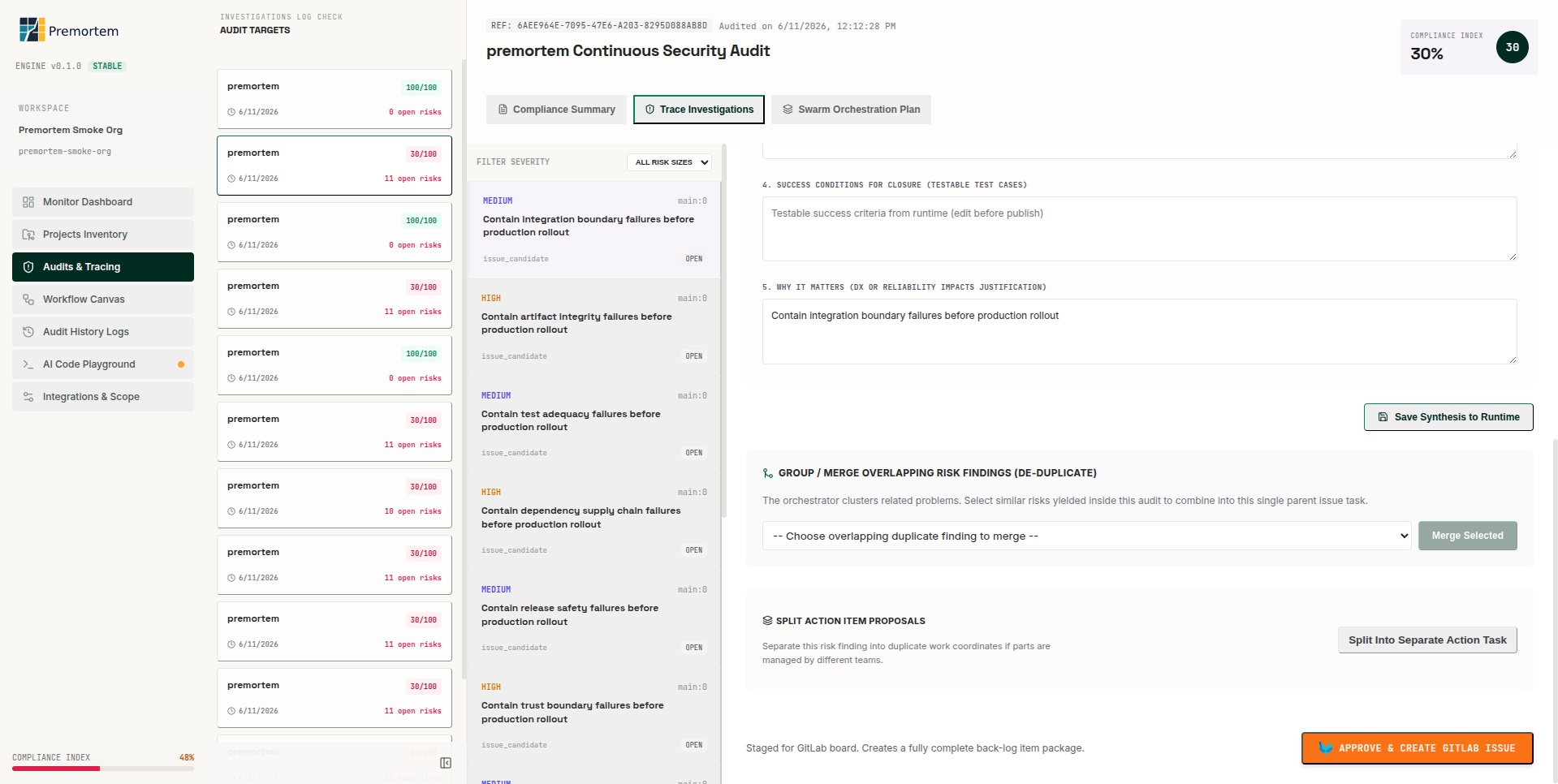
Open findings
- Audits & Tracing → select run → Trace Investigations or Compliance Summary.
- Pick an OPEN issue candidate with GitLab Sync Ready badge.
- Inspect source evidence and trace flow before editing.
Edit synthesis
- Update success conditions, why-it-matters, and recommendation text.
- Save Synthesis to Runtime persists edits with version history.
- Merge or split overlapping findings if needed before publish.
Approve & publish
- Click Approve & Create GitLab Issue.
- Work item attributes apply configured labels on create.
- Dry-run locally: PREMORTEM_PUBLISH_DRY_RUN=1 logs payload without remote create.
Production
Free tier allows 3 publishes per month before feature_locked; Starter removes the limit.
Verify reconciliation
- Published URL appears on the issue candidate row.
- GET /api/reconciliation or Dashboard events show matched vs drifted.
- POST /api/issues/reconcile sweeps org-wide drift after bulk publish.