How it works
Three steps from repository connection to review-ready structured issues.
Interactive walkthrough
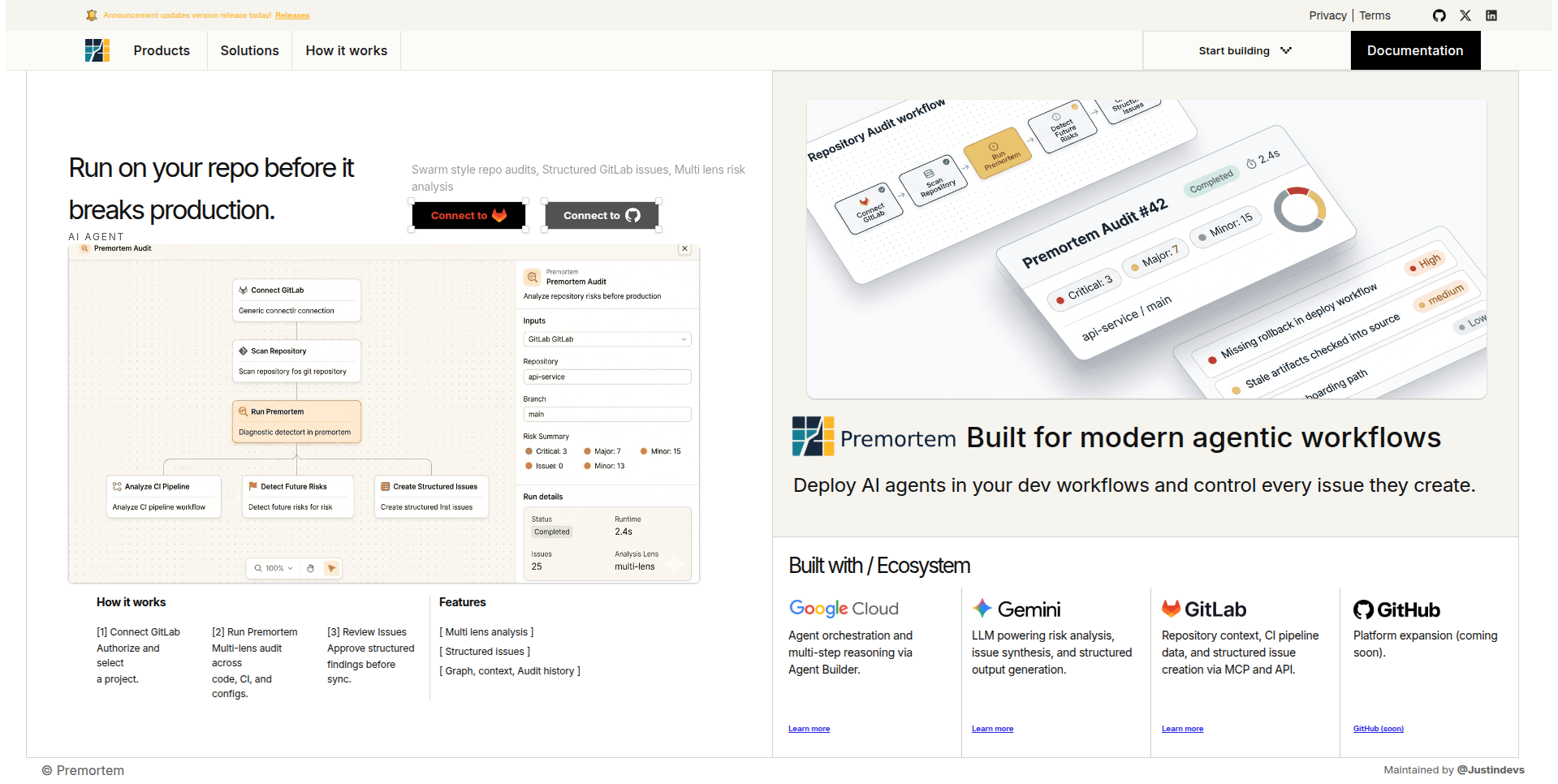
Premortem on your repo before production breaks
Connect GitLab, register a repository, and bind the branch you ship.
OAuth scopes cover repo read, CI context, and issue publish.
landing · connect GitLab · register repository
Listen
AI swarms predict code breaks before deployment
A short overview of how Premortem runs multi-lens agent swarms across your repository before merge, surfaces structured findings, and keeps review in your workflow.
Three steps
[1] Connect GitLab
Authorize and select
a project.
[2] Run Premortem
Multi-lens audit across
code, CI, and configs.
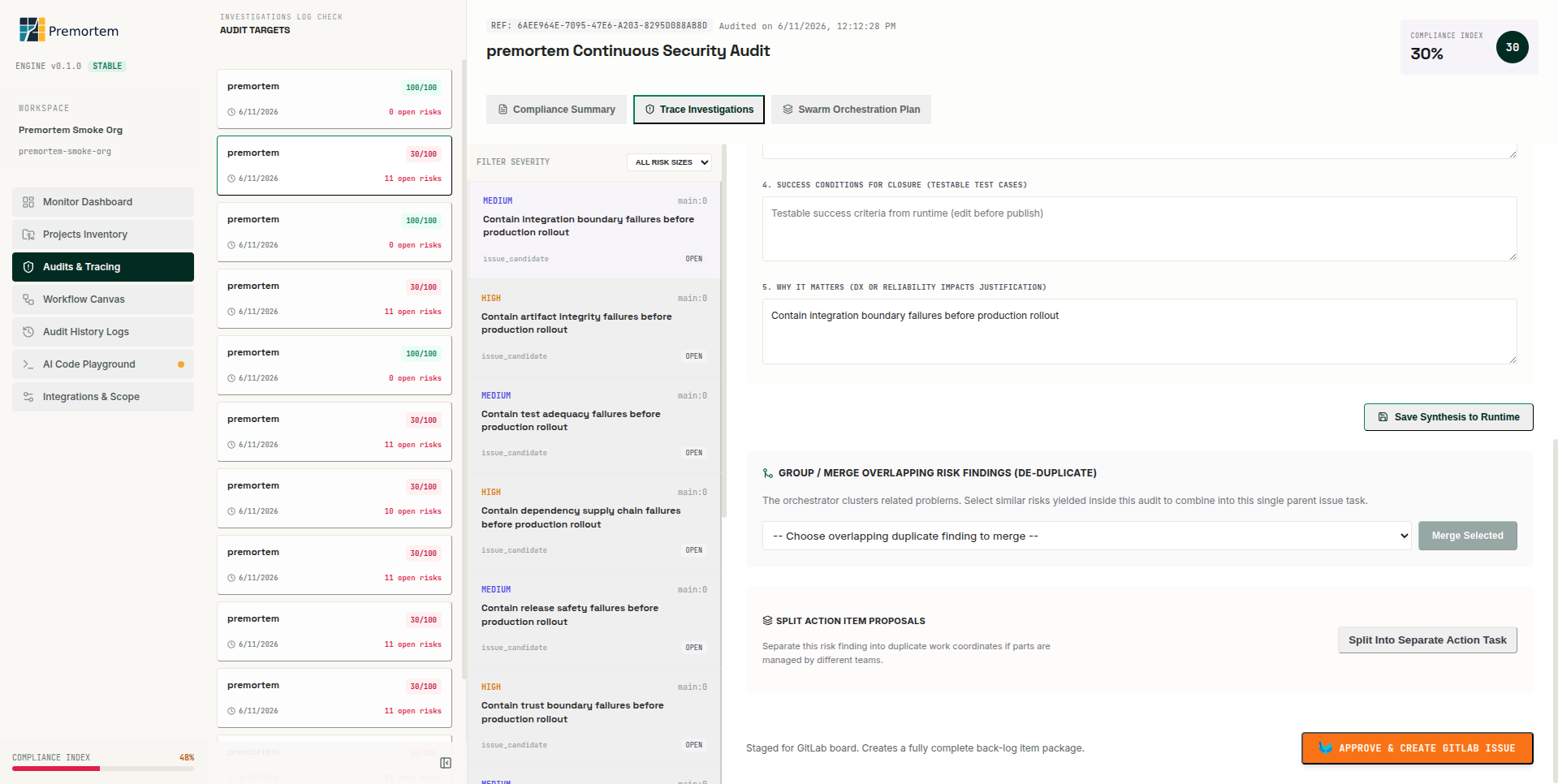
[3] Review Issues
Approve structured
findings before sync.
[1] Connect GitLab
Authorize Premortem and select the project you want to audit. Repository context, CI data, and issue APIs are wired through GitLab MCP and REST integrations.
[2] Run Premortem
A multi-lens audit runs across code, CI, and configs. Specialist agents produce validated findings that are clustered, deduplicated, and synthesized into structured issue candidates.
[3] Review issues
Approve structured findings in the reviewer console before sync. Publish and reconciliation workflows keep GitLab issues aligned with audit output.